A raise doesn't rewrite March
Pay rates are effective-dated. A raise closes the old rate and opens a new one, so a job costed in March stays costed at March's rate.
Feature · Job costing & profit
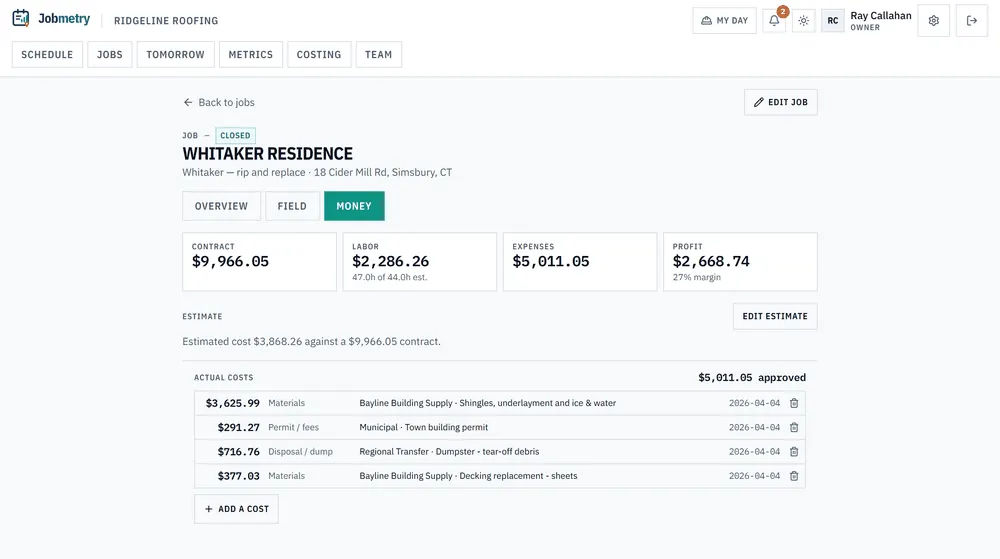
Jobmetry puts the contract price, the labor actually worked and the approved costs side by side on each job. Your crew enters hours by checking in. Nobody types a dollar figure from the field.
One job
Why the numbers hold up
Pay rates are effective-dated. A raise closes the old rate and opens a new one, so a job costed in March stays costed at March's rate.
Hours come from check-in and check-out on the crew's phone, with the distance from the site recorded at check-in. Office corrections are marked on the entry for good.
A crew member photographs the receipt for the dump run. It shows on the job as "not counted yet" until you approve it. Rejected costs keep their record and note.
The costing ledger shows finished jobs. A job with a contract but no cost yet would look like pure profit, so it stays off the ledger until the work is done.
A banner flags jobs that are done but not marked paid, so the money you're owed doesn't slip.
Crews, crew leaders and dispatchers never see wages, contract values or profit. The database refuses to send it to their logins, so it isn't just a hidden button.
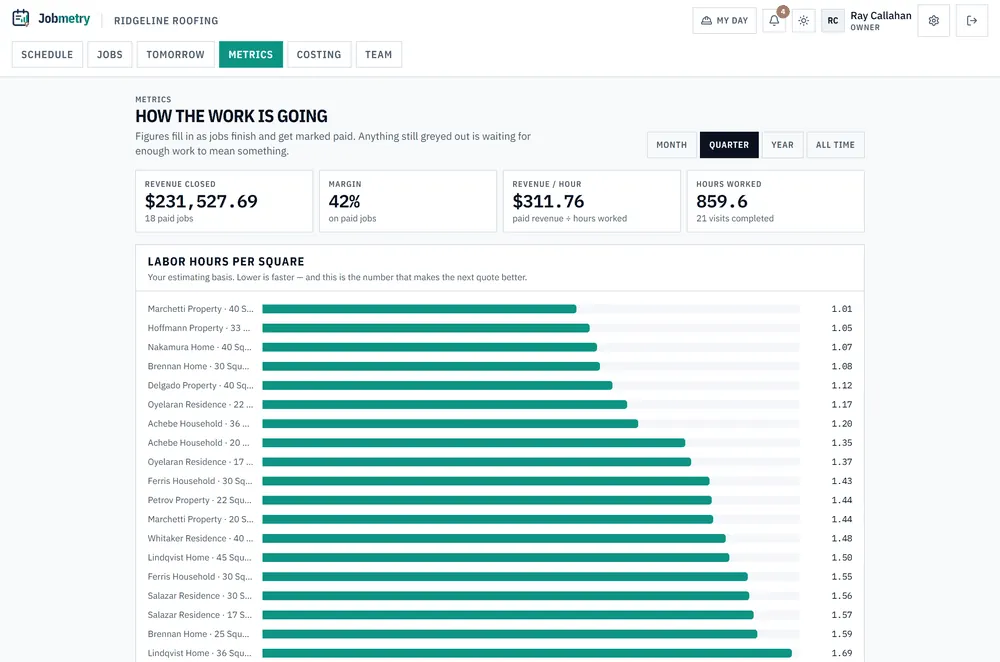
Across all jobs
Job costing is on every plan. Some crew software keeps it for its higher tiers. Jobmetry has one plan and you get all of it. See pricing.
We approve a crew-reported cost live and you see the profit change. Fifteen minutes, on a demo company with real-looking numbers.